If you search for an easy way to make 3D content online, Canva now puts several options in front of you. The headline entry is the Canva AI 3D model generator, but it sits inside a wider 3D creation stack that also includes the 3D Content Generator, the 3D Character Creator, the 3DArtist app, the 3D Viewer app, and even animated-avatar tools like Krikey AI Animate.
That makes Canva’s 3D offering more interesting than it first appears. It is not just one button that generates 3D. It is a design-led ecosystem for creating, placing, viewing, and presenting 3D-style content inside Canva.
The real question, then, is not whether the AI 3D model generator in Canva exists. It does. The better question is what kind of 3D work it is actually best at.
What Canva seems to be aiming for
Based on Canva’s public tool pages, the platform is clearly focused on accessibility. The 3D model generator on Canva is presented as a prompt-based way to turn ideas into 3D images quickly. The adjacent 3D Content Generator is described as a way to generate custom 3D elements from prompts and place them directly into designs. The 3D Character Creator is aimed at prompt-based 3D character imagery. Meanwhile, the 3D Viewer focuses on uploaded 3D files, giving users a way to display them inside a Canva workflow.
That is an important distinction. Canva appears to be building a smooth browser-first system for people who want 3D visuals as part of presentations, social graphics, lesson materials, branded layouts, and lightweight creative assets. It is much more design-first than pipeline-first.
The same Canva 3D tools worth comparing
The Canva AI 3D model generator is the broad entry point, but it is not the only 3D route on the platform.
The 3D Content Generator looks like the most direct option for people who want custom 3D elements to place into a design. The 3D Character Creator is more character-image oriented. The 3DArtist app appears to focus on generating 3D objects from text descriptions. The 3D Viewer is different again: it is for viewing and presenting uploaded 3D files rather than generating them from scratch. Then there is Krikey AI Animate, which moves toward animated talking avatars rather than still 3D objects.
In other words, Canva’s 3D stack is not one unified “pro 3D suite.” It is a set of approachable tools that cover different 3D-adjacent needs.
Where Canva feels genuinely strong
Canva’s biggest strength is ease of use. If your goal is to create something visual, quickly place it into a layout, and keep working inside one familiar browser editor, that convenience matters a lot.
The platform also seems strong for prompt-driven concepting. Someone building a presentation, classroom deck, campaign mockup, or social graphic can generate a 3D-style visual and immediately integrate it into a design without bouncing between multiple applications.
This is where the 3D model generator in Canva makes the most sense. It lowers the barrier for non-specialists. You do not need to be a trained 3D artist to use it, and you do not need to start with technical software logic. For many users, that is not a side benefit. It is the main benefit.
Where the limitations start to show
The more advanced your expectations become, the more important it is to stay precise about what Canva is actually offering.
From the public pages I could verify, Canva emphasizes 3D images, design-embedded 3D elements, prompt-based character generation, and viewing uploaded 3D files. What it does not clearly foreground is deep mesh control, topology cleanup, UV-level refinement, or a dedicated image-to-3D reconstruction workflow on the same level you would expect from a specialized 3D tool.
That does not make Canva weak. It just means the tool seems best understood as a creator-friendly design platform with 3D generation features, not as a full replacement for advanced 3D production software.
So if your standard is “Can I make a polished 3D-looking asset for a design or campaign?” Canva looks compelling. If your standard is “Can I start from a photo and turn it into a downloadable 3D model for a broader asset workflow?” the answer becomes less clear.
A better workflow question: prompt-to-design or image-to-asset?
This is where a lot of users get stuck. They search for a 3D generator, but what they actually want falls into one of two different goals.
The first goal is prompt-to-design. That is Canva’s natural territory. You want to describe something, get a 3D-style result, and use it in a layout.
The second goal is image-to-asset. You already have an image, product photo, render, sketch, or subject reference, and you want to turn that into something more like a usable 3D model.
If that second workflow is what you need, a tool like See3D AI starts to make more sense. The Image to 3D tool on See3D is built around a different promise: upload an image, let the system analyze shape and depth, preview the reconstructed result, and download the model.
That is a more direct route for people who are not asking for “3D content inside a Canva design,” but rather for a photo-to-3D model workflow they can use as a starting point right now.
Why that alternative matters without making Canva the villain
This does not need to be framed as one tool beating the other. They are solving different problems.
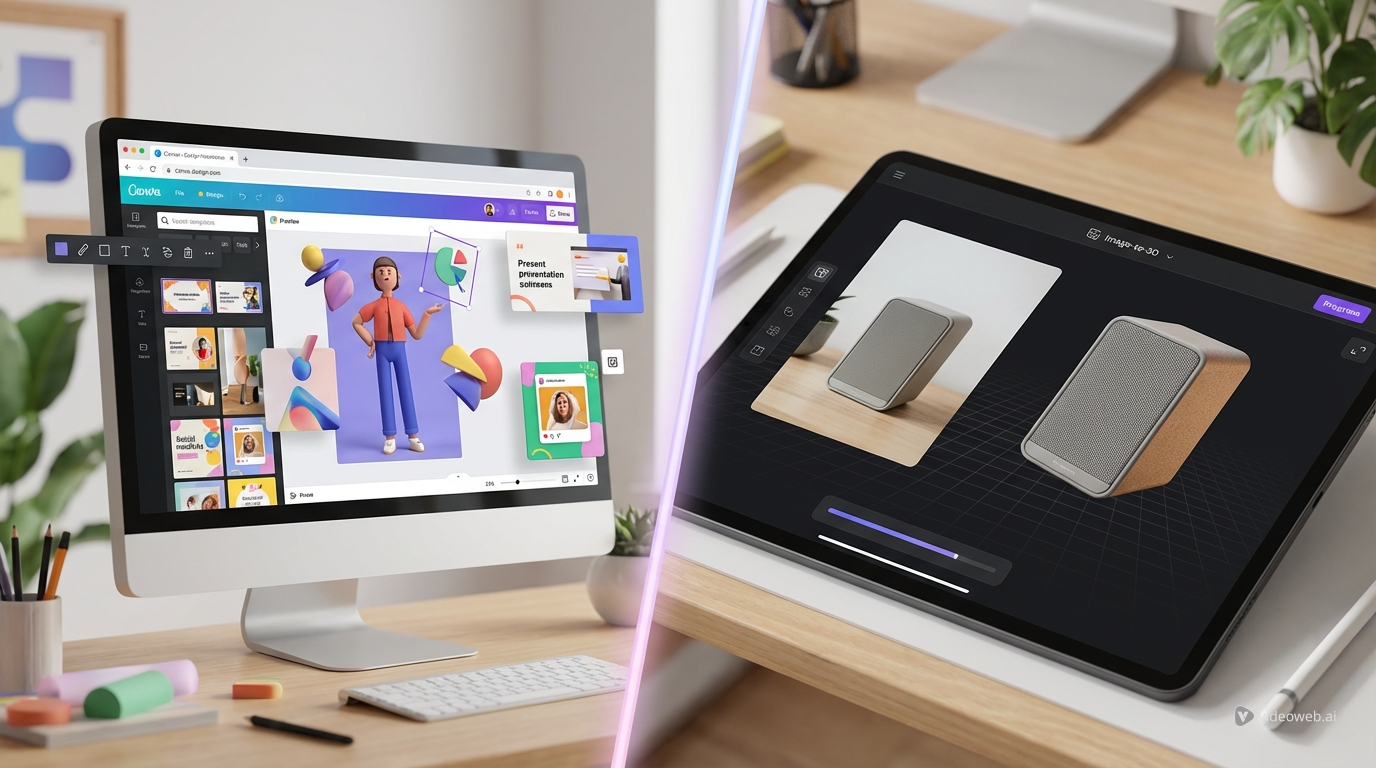
Canva is strongest when you want accessible 3D visuals inside a larger design workflow. See3D’s image-to-3D modeling tool is more useful when the image itself is the starting point and the outcome you care about is a model preview and export path.
That is why the smartest way to judge the Canva AI 3D model generator is not by asking whether it can do everything. It is by asking whether your workflow begins with design composition or with image reconstruction.
Final verdict
As a browser-based creative platform, Canva’s 3D offering is genuinely appealing. The AI 3D model generator in Canva, the 3D Content Generator, the 3D Character Creator, and the surrounding apps make 3D content much more approachable for everyday creators.
But the platform still looks most convincing as a design-first environment, not as a specialized image-to-3D workflow.
If your goal is fast 3D visuals in a presentation, social post, or branded design, Canva looks useful. If your goal is to upload an image and move more directly toward a 3D model, Image to 3D on See3D is the kind of option worth testing alongside it.
Related Articles
- Image to 3D with See 3D: A Viewer-First, Beginner-Friendly Guide
- Can AI Image-to-3D Tools Really Create Usable 3D Models From Photos in 2026?
- Tripo 3D AI Review: What It’s Great At (and Not)
- Seed 3D Model Generation Guide: A Simpler Alternative for Real Users
People Also Read
- Image to 3D on HeyDream AI: A Practical Tripo 3D Step-by-Step Guide
- Exploring Luma AI: Transforming Video Creation and 3D Modeling
- OpenArt World Review: A Practical Look at This New AI 3D World Generator
- Nano Banana 2 on SeaImagine: Best Scenes, Prompt Ideas, and How to Use It
- Nano Banana 2 vs Nano Banana Pro: What Changed and Which One Fits Your Workflow?