The excitement around AI image-to-3D tools has shifted from novelty to practicality. A year or two ago, most people were impressed simply by the idea that a single image could become a 3D object. In 2026, that is no longer enough. Readers looking for an AI image to 3D tool or a simple way to convert image into 3D model are usually asking a more practical question now: will the result actually be useful beyond a quick preview? Can these systems support concept design, product mockups, game asset ideation, and even early 3D printing workflows, or are they still producing results that look convincing only from one flattering angle?
That is why tools such as Meshy 6, Tripo, and Hunyuan3D matter right now. Each promises to make 3D creation faster and more accessible, especially for users who do not want to start from manual modeling. But the gap between “interesting demo” and “usable output” still matters. A model can look polished in a browser viewer and still require major cleanup before it is genuinely helpful.
This article takes a neutral look at the current state of AI image-to-3D generation in 2026. Instead of asking which platform is the undisputed winner, it asks a more useful question: what kind of result can you reasonably expect, and which workflow makes the most sense for the kind of work you actually want to do? That matters whether you are comparing major platforms like Meshy 6, Tripo, and Hunyuan3D or testing a lighter image to 3D modeling tool for faster experiments.
Why Image-to-3D Is Getting So Much Attention
The appeal is obvious. A designer can turn a reference photo into a rough 3D concept in minutes. A hobbyist can upload a toy, a statue, or a sketch and get a fast starting point. A content creator can explore shapes and compositions without opening traditional modeling software. For teams working quickly, even a partial model can be valuable if it reduces the blank-page problem.
This is why so many people are now searching for an AI image to 3D tool rather than a traditional 3D suite first. The promise is not perfection. The promise is speed, accessibility, and a lower barrier to experimentation.
At the same time, expectations need to stay realistic. Most AI-generated 3D models still face the same core challenge: a single image does not contain complete depth information. The system must infer missing geometry, hidden surfaces, and structural details. Sometimes that guesswork is impressively believable. Sometimes it produces warped proportions, merged surfaces, or decorative details that look right only from the original viewpoint.
What an Honest Comparison Should Measure
A fair evaluation of image-to-3D tools should go beyond marketing examples. There are at least five things worth looking at.
First is shape consistency. Does the model still make sense when rotated, or does it collapse when viewed from the back or sides?
Second is surface quality. A strong texture can make a weak mesh look better than it really is. That matters for previews, but it should not hide structural problems.
Third is detail handling. Thin parts, curves, symmetry, and layered forms are often where AI tools reveal their limits.
Fourth is workflow friction. How quickly can a new user go from image upload to a usable model, preview, and export?
Fifth is downstream usefulness. Is the output mainly a visual concept, or is it the kind of file that can support editing, asset development, or print preparation with a reasonable amount of cleanup?
Those criteria matter more than flashy demos, because they reveal whether a platform is merely entertaining or actually productive.
Meshy 6: Broad, Ambitious, and Often Impressive
Meshy 6 is one of the most talked-about names in this space for a reason. It is not positioned as just a narrow converter. It presents itself more like a broad AI 3D workflow platform, combining image-to-3D, text-to-3D, texturing, animation support, and related creative features. That breadth gives it a strong appeal for creators who want more than a single-purpose experiment.
In practice, Meshy 6 often feels like one of the more mature options for people who want an all-in-one environment. It can deliver eye-catching first results quickly, and that matters when the goal is fast iteration. For concept artists, game prototypers, and creators working visually, that speed can outweigh imperfections.
Still, the important question is not whether Meshy 6 can generate a compelling preview. It usually can. The more revealing question is what happens after the first moment of surprise. Does the geometry remain coherent when inspected more closely? Can the model survive export and editing without exposing obvious flaws? And if the goal is physical production, how much repair is still needed?
That is where the current generation of tools, Meshy included, still needs balanced scrutiny. Strong results are possible, but consistency remains case-dependent.
Tripo: A Strong Competitor for Workflow-Oriented Users
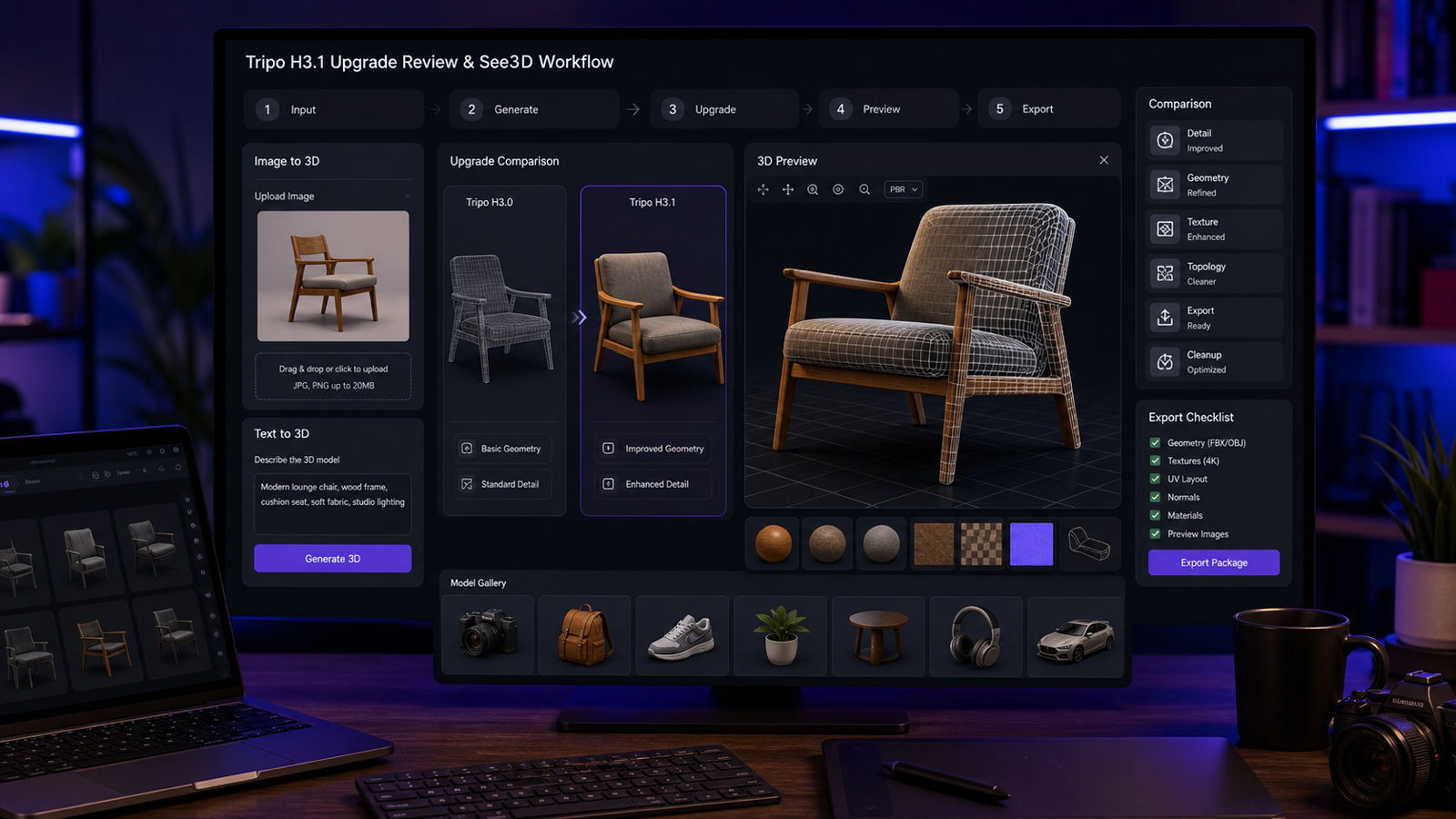
Tripo is another important name in the conversation because it speaks to users who care not just about generating a model, but about moving through a broader 3D workflow. It has gained attention for its image-to-3D and text-to-3D features, while also leaning into supporting tools that help users refine and manage outputs more efficiently.
For some users, that makes Tripo attractive in a different way from Meshy. If Meshy feels like a broad creative studio, Tripo often feels like a platform designed to make iterative 3D generation feel less fragmented. That difference matters. Many users are not looking for a spectacular one-off result. They want a repeatable process.
This is also why phrases like photo to 3D model converter are increasingly common in real-world search behavior. People are no longer just curious about what AI can generate. They want a toolchain that shortens time-to-result while staying easy to understand.
In that context, Tripo deserves to be treated as a serious comparison point. It may not be the automatic best choice for every user, but it helps show that the market is moving toward workflow quality, not just output novelty.
Hunyuan3D: Worth Watching for Users Exploring Newer Pipelines
Hunyuan3D also belongs in this discussion because it represents another major direction in AI-generated 3D asset creation. It is often brought up by users who want to test how newer model ecosystems handle image-based generation, especially when they are interested in broader experimental workflows rather than only the most mainstream creator platforms.
What makes Hunyuan3D interesting is not just that it can generate 3D from images, but that it reflects a larger trend: these tools are becoming parts of ecosystems instead of isolated gimmicks. Text, image, animation, and asset generation are increasingly bundled into connected experiences.
That does not automatically make the outputs better. But it does change what users should compare. The question becomes less about raw generation alone and more about how naturally a tool fits into the way a creator already works.
Where AI Image-to-3D Still Struggles
Even the strongest current tools run into recurring problems.
Busy backgrounds can confuse object boundaries. Hidden surfaces still require guesswork. Thin appendages, ornate textures, and overlapping forms often cause distortions. Highly reflective objects can lose their real structure in favor of visual approximation. And a result that looks good in a shaded preview may still need serious topology cleanup before it is practical for editing or printing.
This is why it is safer to think of AI-generated 3D as accelerated starting-point creation rather than automatic final production. That is not a criticism. It is a more useful mental model.
If you approach these tools expecting instant perfection, you will probably be disappointed. If you approach them as rapid concept generators, idea visualizers, or first-pass asset builders, they become much easier to appreciate.
A Simpler Route for Image-First Users
Not everyone wants a large AI 3D ecosystem. Some users simply want to upload an image, see how it translates into volume, and move on. That is where a more direct browser-based workflow can make a lot of sense.
For users in that category, See3D AI is worth considering as a practical alternative in the current landscape. Rather than making the process feel overloaded, it keeps the attention on a straightforward image-first experience. If your main goal is to convert image into 3D model without committing to a heavier pipeline at the start, that kind of simplicity can actually be an advantage.
This does not mean it replaces broader platforms for every advanced use case. But for quick tests, idea validation, and beginner-friendly experimentation, a lighter workflow can be more useful than a feature-rich environment that asks the user to learn too much too soon.
That is especially true for creators who want to compare multiple tools with the same source image. A direct image to 3D modeling tool can serve as a low-friction baseline: upload, preview, evaluate, export, and then decide whether a more elaborate platform is worth the extra complexity.
What Users Should Really Compare in 2026
The smartest way to compare image-to-3D platforms now is not to ask which one has the most impressive marketing gallery. It is to ask which one saves the most time for your specific use case.
If you want an expansive creative environment with multiple related features, Meshy 6 may feel compelling. If you value workflow-oriented generation and broader iteration support, Tripo may deserve closer attention. If you are interested in newer ecosystem approaches, Hunyuan3D is worth testing. And if you mainly want a clean, browser-based place to turn a reference image into a 3D starting point quickly, AI image to 3D tool options like See3D can be a very practical fit.
The key is to judge the result by cleanup time, structural believability, and actual usefulness after export. Those are better measures than the first preview alone.
Final Thoughts
AI image-to-3D generation in 2026 is genuinely useful, but it still benefits from honest expectations. The technology is good enough to speed up ideation, mockups, and early asset creation. It is not consistently magical, and it does not remove the need for judgment.
The most balanced conclusion is simple: these tools are no longer just toys, but they are not yet universal replacements for careful 3D work either. Their value depends on what you want to make, how much cleanup you can tolerate, and whether you prefer a large multi-feature platform or a more focused workflow.
For many users, the best next step is not choosing one “winner,” but testing the same source image across two or three options. That approach reveals very quickly whether you need feature depth, faster iteration, or a more accessible path from image to model.
Recommended Reading on See3D AI
If you want to keep exploring the topic, these articles are a useful next step: