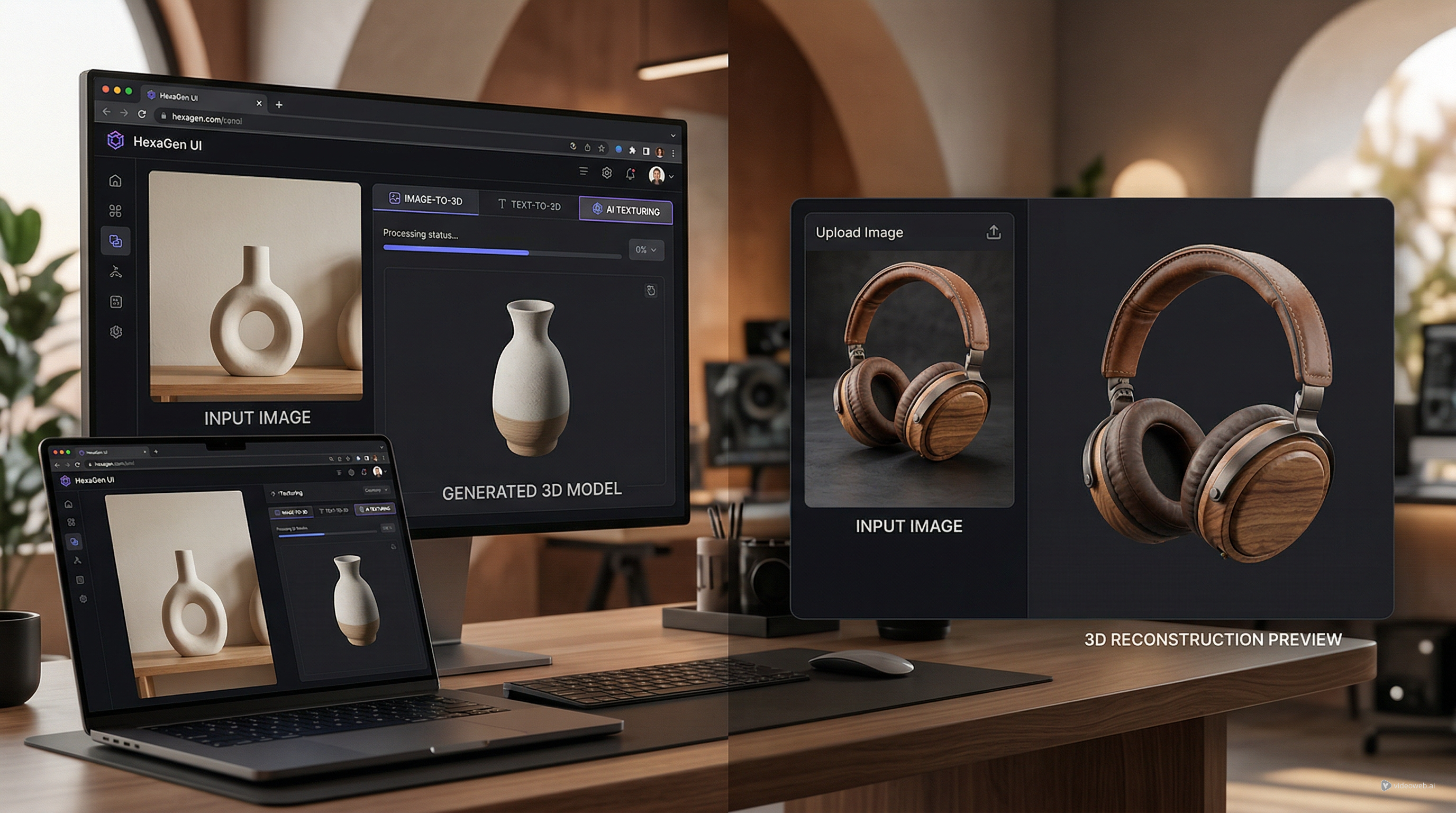
If you are looking for a fast way to turn an image into a 3D model online, HexaGen’s free online AI 3D image-to-model generator is one of the newer tools trying to simplify that workflow. Publicly, HexaGen presents it as a browser-based system that can convert a single image or multiple angles into 3D models, which makes it appealing for creators, sellers, and early-stage product visualization.
That pitch is easy to understand. Many users do not want to learn traditional 3D software just to test an idea. They want to upload an image, get something usable, and move on. In that sense, the HexaGen image-to-3D generator fits a growing category of creator-friendly AI tools that trade manual complexity for speed.
The more useful question, though, is not whether the idea sounds good. It is whether the tool looks best for quick drafts, for lightweight creative experimentation, or for workflow-ready 3D assets.
What HexaGen appears to be building
From the public information available, HexaGen is not positioning itself as just one isolated tool. It presents itself more broadly as an automated 2D and 3D content creation platform. That matters because the AI image-to-3D model tool seems to sit alongside a wider family of creation routes rather than acting as a one-off demo.
The most relevant related options are the prompt-first Text to 3D workflow, the AI texture generator, and the AI text-to-image generator. Together, they suggest a broader logic: start from text, start from an image, or improve an existing model with AI-generated textures.
That is a smart structure. It makes the platform look more flexible than a single image-conversion page, and it gives users multiple entry points depending on what they already have.
The same HexaGen creation routes worth knowing
The main attraction here is still the free online AI 3D image-to-model generator. It is the clearest answer for users who already have a product photo, sketch, or reference image and want to move toward a 3D result.
The Text to 3D route is the better fit for concept-first work, where the model begins as a written idea instead of a visual reference. The AI texture generator appears to be a later-stage tool, since it is framed around uploading an existing 3D model and applying textures from text or image inputs while preserving the model’s original geometry. The AI text-to-image generator is the lightest option of the group and makes more sense for early concept art than for asset creation.
So while this review focuses on image-to-3D, the broader HexaGen stack matters because it shows that the tool is meant to be part of a longer workflow.
Where HexaGen looks genuinely strong
The strongest part of HexaGen’s positioning is accessibility. The platform language consistently points toward fast, automated creation rather than technical control. That lowers the barrier for people who are not professional 3D artists.
Another strength is flexibility. If the public snippets are accurate to the actual workflow, HexaGen can work from one image or multiple views, which is a meaningful distinction. Multi-angle support, if it works well in practice, could make a difference for shape interpretation and more stable results.
There is also a slightly more structured feel to HexaGen than some casual AI toy tools. Even the platform’s terms mention inputs such as pictures, serial numbers, descriptions, and measurements. That does not prove deep production readiness on its own, but it does suggest the company is thinking beyond purely playful prompt generation.
Where the review has to stay cautious
This is where an unbiased review has to slow down. The public search snippets make the promise sound strong, but direct page access in this browser was limited by the site’s cookie layer. That means I could confirm the broad positioning, but not deeply inspect visible export options, cleanup tools, mesh controls, or UI-level workflow details on the live page itself.
Because of that, it is safer to read HexaGen as a promising browser-based 3D drafting tool rather than assume it is already a full production-ready modeling environment.
The phrase “realistic 3D models” sounds good in marketing, but real users usually care about more specific questions: how clean is the geometry, how usable is the output downstream, how much manual repair is still needed, and how well does the model hold up outside the original generation environment? Those are the questions that determine whether a tool is merely impressive in a preview or actually useful in a workflow.
A better way to judge it: what kind of 3D job are you doing?
If your goal is fast experimentation across text, image, and texturing workflows, HexaGen looks appealing. It appears to offer a broader creation family than a simple one-page converter.
But if your real need is more specific — upload a photo, preview a reconstructed model, and move directly into an image-to-3D process — then a tool like See3D AI starts to make sense as a comparison point. The Image to 3D modeling tool on See3D is built around that more direct image-first path.
That does not make HexaGen the wrong choice. It just highlights the difference in workflow emphasis. HexaGen looks broader in concept. Image to 3D on See3D looks more focused when the image itself is the starting point and the conversion path is the main event.
Final verdict
HexaGen’s image-to-3D tool is interesting because it sits inside a wider AI creation stack rather than acting like a standalone gimmick. The mix of image-to-3D, Text to 3D, AI texturing, and text-to-image gives it a more complete creative identity than many lightweight web demos.
At the same time, the most important details still need careful testing in practice. Based on what is publicly visible, HexaGen looks strongest as a low-friction way to explore 3D creation online. Whether it is strong enough for your full asset pipeline depends on how much control and downstream reliability you expect.
If you want a broader browser-based AI creation family, HexaGen looks worth watching. If you want a more direct photo-to-model workflow right now, See3D’s Image to 3D tool is the kind of alternative that fits naturally into the comparison.
Related Articles
- Image to 3D with See 3D: A Viewer-First, Beginner-Friendly Guide
- Can AI Image-to-3D Tools Really Create Usable 3D Models From Photos in 2026?
- Tripo 3D AI Review: What It’s Great At (and Not)
- Hunyuan3D-2 Free Guide: Turn Images Into 3D Online 2026
- Seed 3D Model Generation Guide: A Simpler Alternative for Real Users
People Also Read
- Image to 3D on HeyDream AI: A Practical Tripo 3D Step-by-Step Guide
- HeyDream AI Image Generator Guide: Best Models for Text-to-Image and Image-to-Image
- Nano Banana 2 vs Nano Banana Pro: What Changed and Which One Fits Your Workflow?
- OpenArt World Review: A Practical Look at This New AI 3D World Generator
- How to Use Sea Imagine AI’s Image Generator: A Beginner-Friendly Tutorial
- Nano Banana 2 vs Seedream 5.0: A Practical Comparison Guide